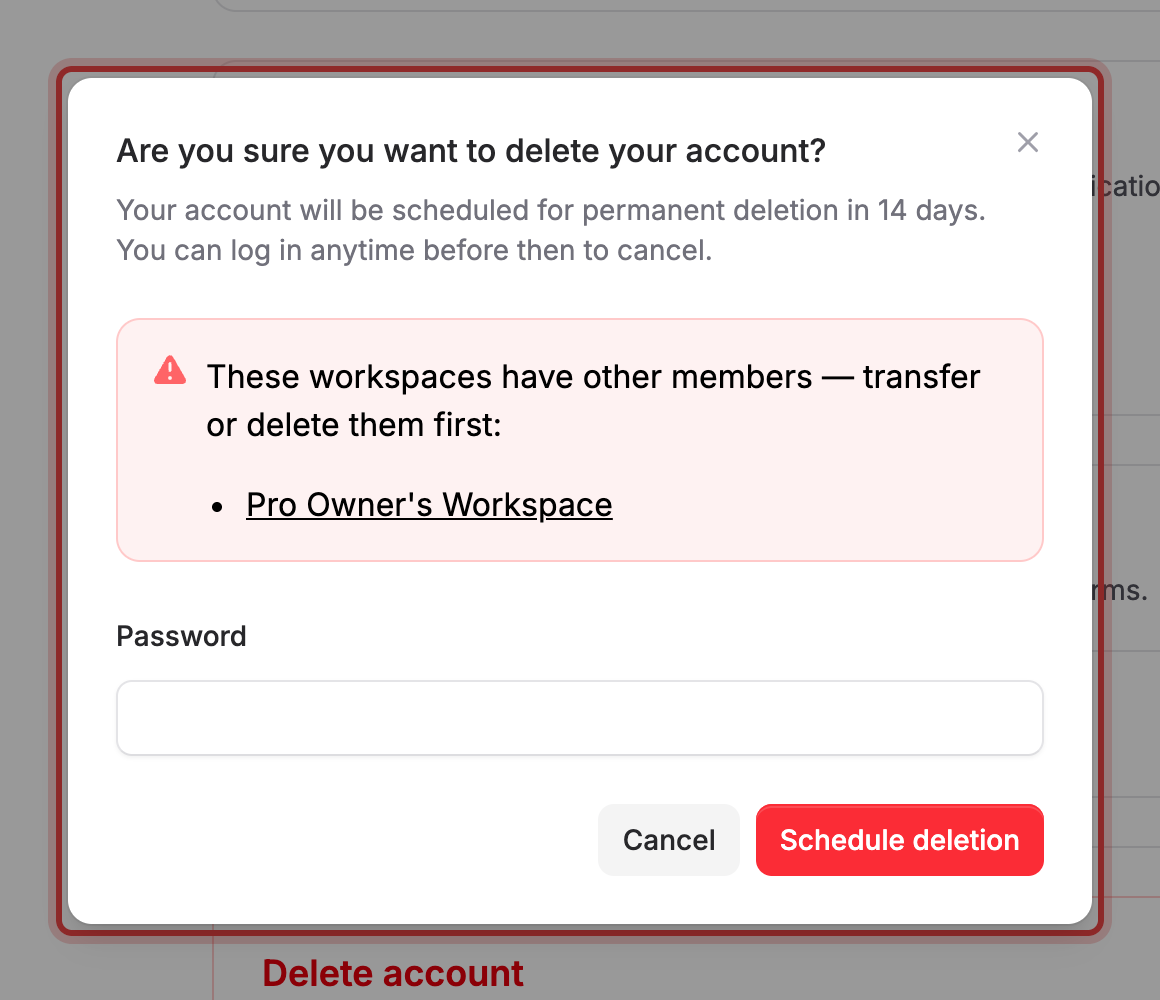
Deleting your account schedules it for permanent removal in 14 days; sign in any time before then to cancel. Workspaces you own that have other members must be transferred or deleted first. Workspaces where you're the only member are deleted along with your account.
Delete your account#
- Select your avatar, then select Account Settings.
- Under Delete account, select Delete account.
- Enter your Password.
- Select Schedule deletion.
What happens to workspaces you own#
- A workspace with other members blocks the deletion. Maxforms names it in the dialog and links to its Members page so you can transfer ownership or remove it before trying again.
- A workspace where you're the only member is deleted along with your account, with everything in it: forms, submissions, and integrations.
- Any active subscription on a workspace you own is cancelled as part of the deletion.
Cancel a scheduled deletion#
Sign back in any time during the 14 days and Maxforms shows an Account Deletion Pending page instead of your workspace.
- Select Cancel deletion and restore my account.
Your account is restored immediately, with nothing lost.
If a workspace is blocking the deletion#
Select the workspace's name in the dialog to open its Members page. From there, either transfer ownership to someone else in the workspace, remove the other members, or delete the workspace outright.
If you don't have a password to confirm with#
Open Change your email address or password and set one under Password, then come back and delete your account.