Use Consent / Terms to show an agreement with a checkbox. You can rewrite the checkbox label and display the document above it or through a link below it.
Add your agreement#
- In the builder, select Add field (or Add your first field on an empty form).
- Under Advanced, select Consent / Terms.
- Name the field and select Save.
- Open Advanced edit on the field.
- Set Field Label to a name such as “Event waiver” or “Terms and conditions”.
- Write the sentence respondents will accept in Checkbox label.
- Paste your longer wording into Document.
Keep the checkbox label short and specific: “I agree to the event waiver” or “I give permission to use my photo”.
New fields start with “I agree to the terms and conditions.” Rewrite this required label to match your agreement. You cannot save a blank label.
If you already host your terms elsewhere, you can add a hyperlink to Checkbox label and leave Document empty.
Choose how people read the document#
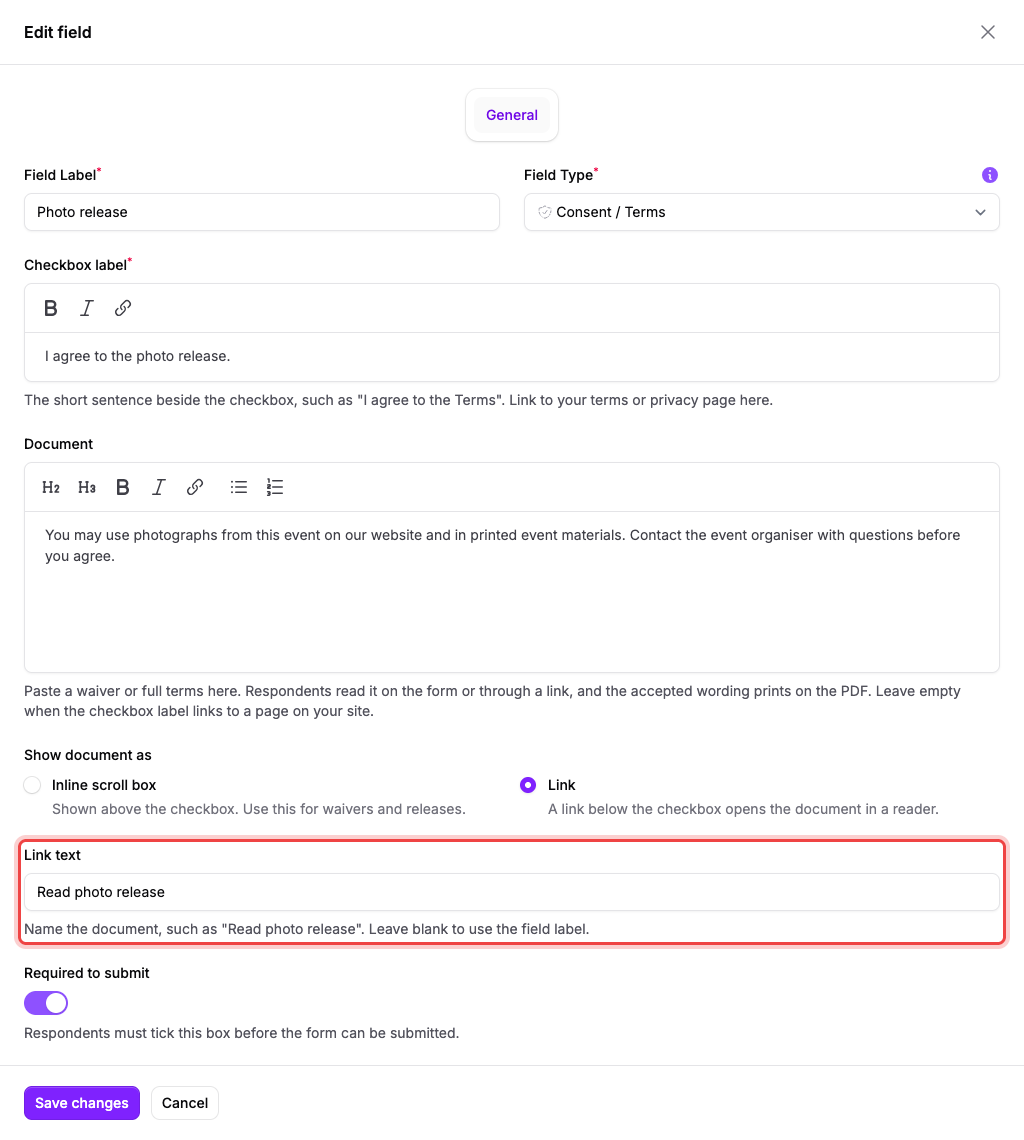
Under Show document as, choose one of these options:
- Inline scroll box shows the document above the checkbox. Respondents can also open it in a reader.
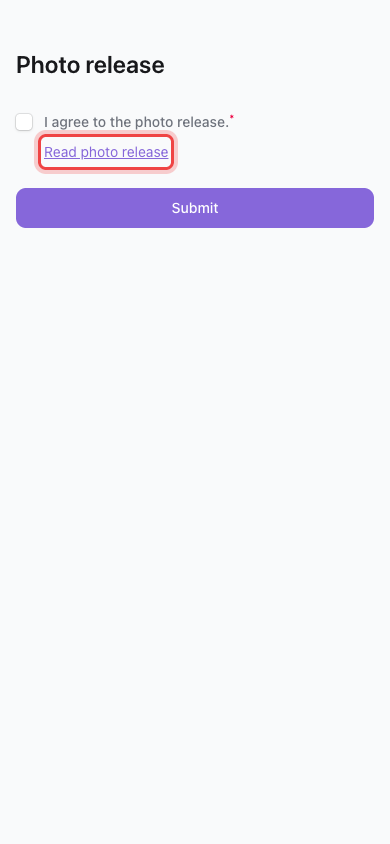
- Link shows a link below the checkbox that opens the document in a reader.
With Link, use Link text to replace the suggested wording, for example “Read event waiver”. Leave it empty to use your field label. The default Consent / Terms field label produces “Read agreement”.
Your document link appears below the checkbox, aligned with its label.
Opening or scrolling through the document does not accept it. Respondents accept by ticking the checkbox. They do not have to scroll to the bottom first.
Decide whether agreement is required#
Turn on Required to submit to prevent submission until the checkbox is ticked. Turn it off for an optional choice.
Keep separate choices in separate fields. For example, use one field for accepting terms and another optional field for receiving marketing emails.
Save and publish#
- Select Save changes.
- Check the checkbox label and document in the preview.
- Select Publish, or Publish changes if your form is already live.
If the document link does not appear#
Check that Document contains your wording and Show document as is set to Link. Save your changes, then publish again.
If your checkbox repeats the whole document#
Move the longer text into Document. Rewrite Checkbox label as a short agreement sentence.