A form that collected a submission but no payment almost always comes down to one of a few causes. The payment field isn't connected on this form, your changes were never published, the payment account has lost the ability to charge, or conditional logic hid the payment field for that respondent. Find your symptom below.
If publishing stops with "Choose a payment account"#
Your form has a payment field but no account to collect with, so Maxforms will not publish a form that could not take payments. Select Open payment field in the message, pick the account that should collect, and publish again: the steps are in Connect Stripe, Connect Authorize.net, or Connect CardPointe.
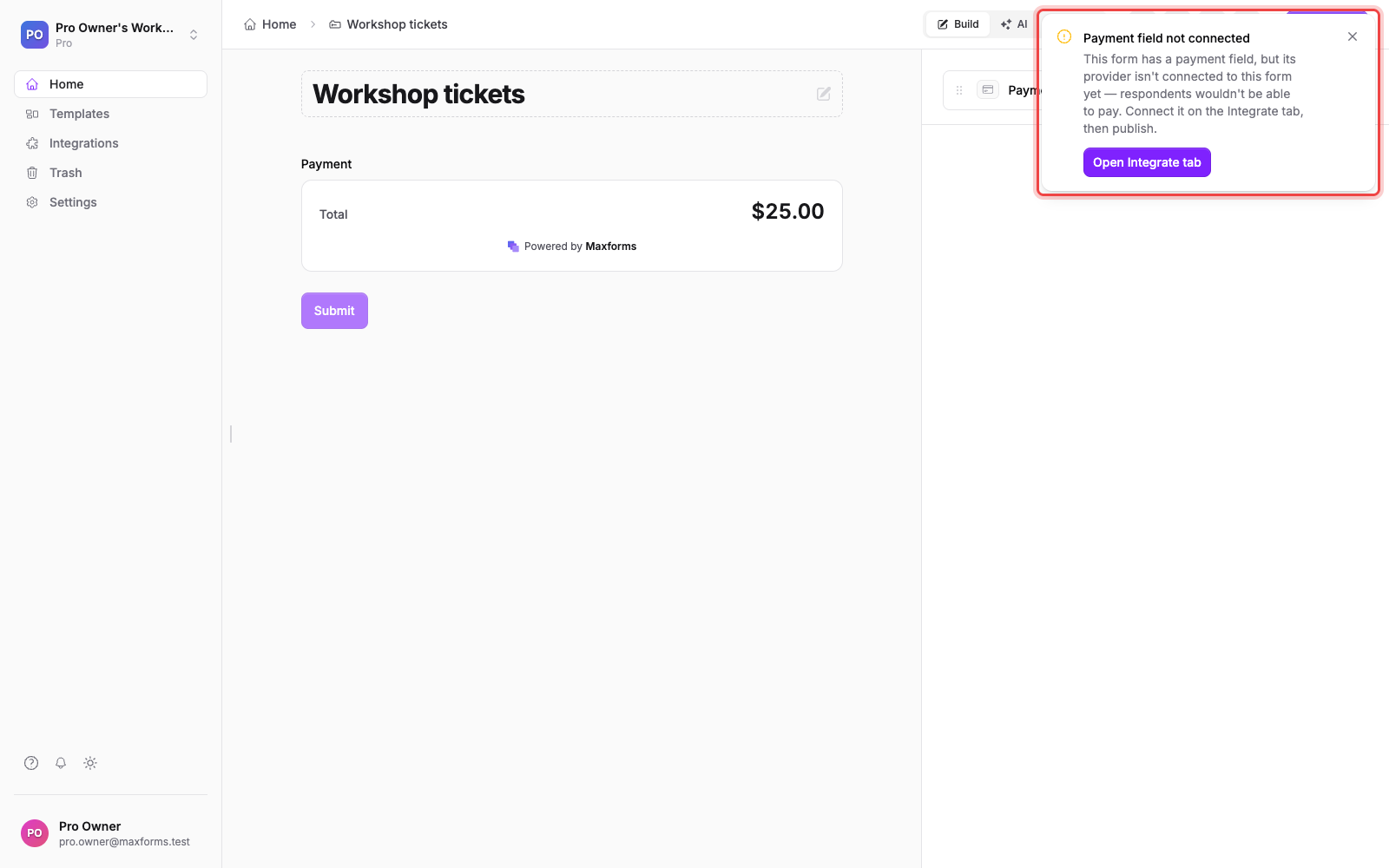
If you added or changed the payment field but respondents don't see it#
Builder changes only go live when you select Publish. Respondents always see the last published version of your form, so a payment field added to an unpublished draft never charges anyone. Publish the form and check the public page. See Publish and share your form.
If you see "Payments are paused" on your dashboard#
This alert means a connected payment account on a live form can't currently take payments, most often on Stripe because verification was never finished or the account's access was revoked. While it lasts, respondents on that form see "Some parts of this form are temporarily unavailable" and can't submit at all, so no charges are lost silently.
Select the fix action in the alert (or open Integrations), and finish verification or reconnect the account.
If the payment field is hidden by conditional logic#
When your logic rules hide the payment field for a respondent's answers (for example an "invoice me later" choice), the form submits as an ordinary free form, on purpose. If someone paid nothing you expected them to pay, open the Logic tab and check which answers hide the payment field.
If the submission shows "Awaiting" instead of "Paid"#
The respondent reached the payment step but never completed checkout: they closed the page or abandoned the card form. No money moved. Abandoned attempts are marked Failed automatically after 7 days.
If the submission shows "Processing"#
The payment is in flight. On Stripe, bank-debit methods such as ACH can take several business days to settle. The submission flips to Paid on its own when the provider confirms the money. Nothing is wrong and there's nothing to do.
If the submission shows "On hold"#
Your Authorize.net fraud filters held the payment for review. Open the submission and select Approve payment or Decline payment; the hold expires on its own if you do nothing (see Recommended Authorize.net fraud settings).
If the submission shows "Failed"#
Your provider declined the charge: a declined card, failed authentication, or an abandoned attempt that timed out. The respondent wasn't charged. If it keeps happening for one person, the pattern is usually on the card side; they can try another payment method.
If the form takes subscriptions or holds requests, then check Services#
If Services is on for your workspace, the same field can also take subscriptions or hold a request for review: see Choose your service setup.
If none of these match#
Check the payment in your provider's dashboard: as the merchant of record, every charge, decline, and refund on your account is visible there. If the provider shows nothing at all, the respondent never reached checkout; re-check the causes above, or run a test yourself. See Testing payments.