Add a File Upload field and respondents get a drag-and-drop box on your form. You decide the maximum file size, which kinds of file you accept, and whether one file is enough or several are allowed. Uploaded files land on the submission, ready to download.
Add the field#
- In the builder, select Add field.
- Under Advanced, select File Upload.
- Give it a label: "Supporting documents", "Your CV", whatever you're asking for.
- Select Advanced edit to set the upload rules.
Choose what you'll accept#
The General tab of the Edit field dialog holds the upload settings:
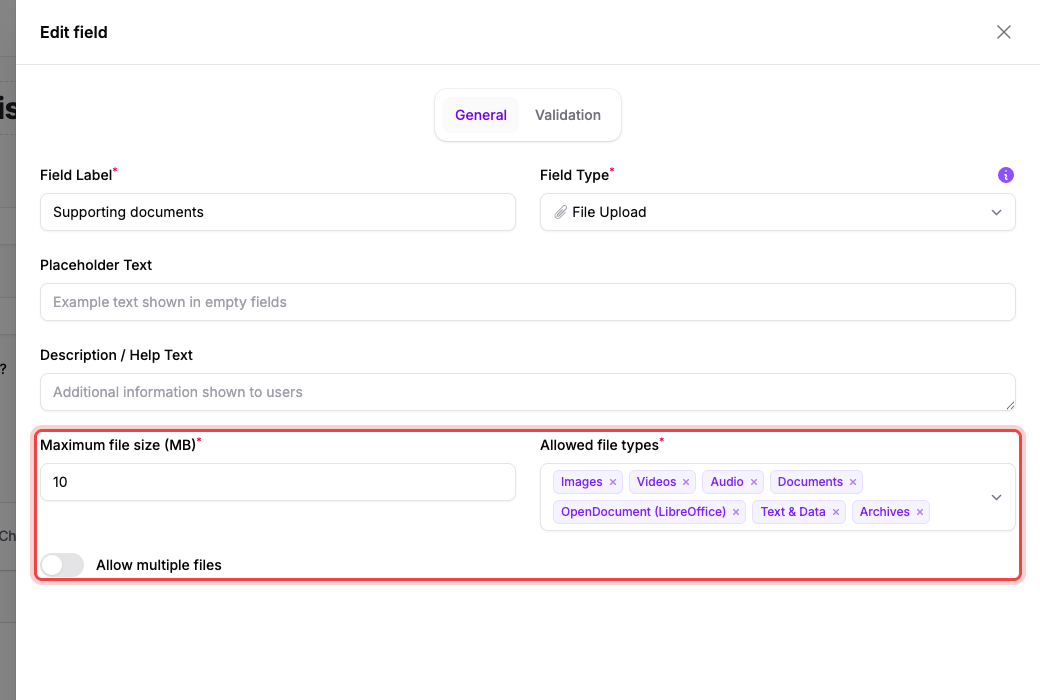
- Maximum file size (MB): the cap for a single file.
- Allowed file types limits you to a set of categories rather than a list of extensions: Images, Videos, Audio, Documents, OpenDocument (LibreOffice), Text & Data, Archives, and 3D / CAD. Remove the ones you don't want with the × on each tag.
- Allow multiple files: off by default. Switching it on reveals Maximum number of files.
The Validation tab adds Required Field, so a submission can't go through without an upload.
Select Save changes, then Publish changes to push it live.
What respondents see#
The field renders as a box reading Choose a file or drag and drop. Files upload as soon as they're picked, before the form is submitted, and each one turns into a green row showing its name and size once it's done:
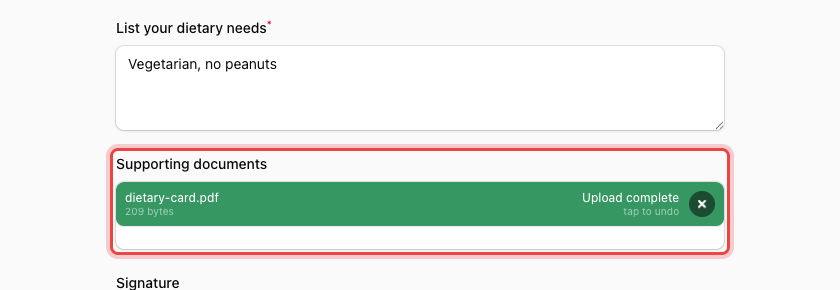
The row reads Upload complete, and tap to undo removes the file if they picked the wrong one.
Where the files end up#
Open the Submissions tab and select a row's number in the # column. The upload appears under its field label as a download link:
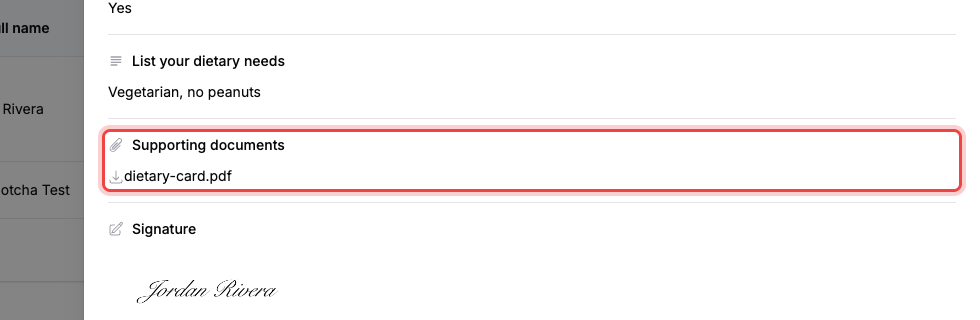
Select the file name to download it.
If the upload is rejected#
- File of invalid type: the file isn't in one of the Allowed file types categories you picked. The message lists every format the field accepts.
- File is too large: the file is over Maximum file size (MB). The message names the limit; raise it in the field's settings, or ask for a smaller file.
- The workspace is out of storage. Once a workspace has used its full plan storage allowance (1 GB on Free, 50 GB on Pro, 250 GB on Business and the nonprofit plan), submissions with attachments are rejected until you free up space or upgrade. See Storage and how long files are kept.
Both file-level checks run in the respondent's browser before anything is sent, so they see the problem immediately and can pick another file.