Every way to stop or pace responses lives on the form's Settings tab under Access: switch Active off, set a Start Date and End Date, cap Max submissions, or allow one response per person. When the cap turns a visitor away (or the one-response rule stops an anonymous repeat visitor), the form shows the Form Closed Message you write; switch the form off or step outside its schedule, and visitors see a page headed This form is temporarily unavailable instead.
Switch a form off and on#
Maxforms does not password-protect forms. To limit who can respond, share an unlisted link and switch Active off when you are done collecting.
Turn Active off, under Access on the Settings tab, to stop the form from accepting responses right away. Visitors who open the link see a page headed This form is temporarily unavailable. Turn Active back on to reopen it; you don't need to publish again.
Open and close on a schedule#
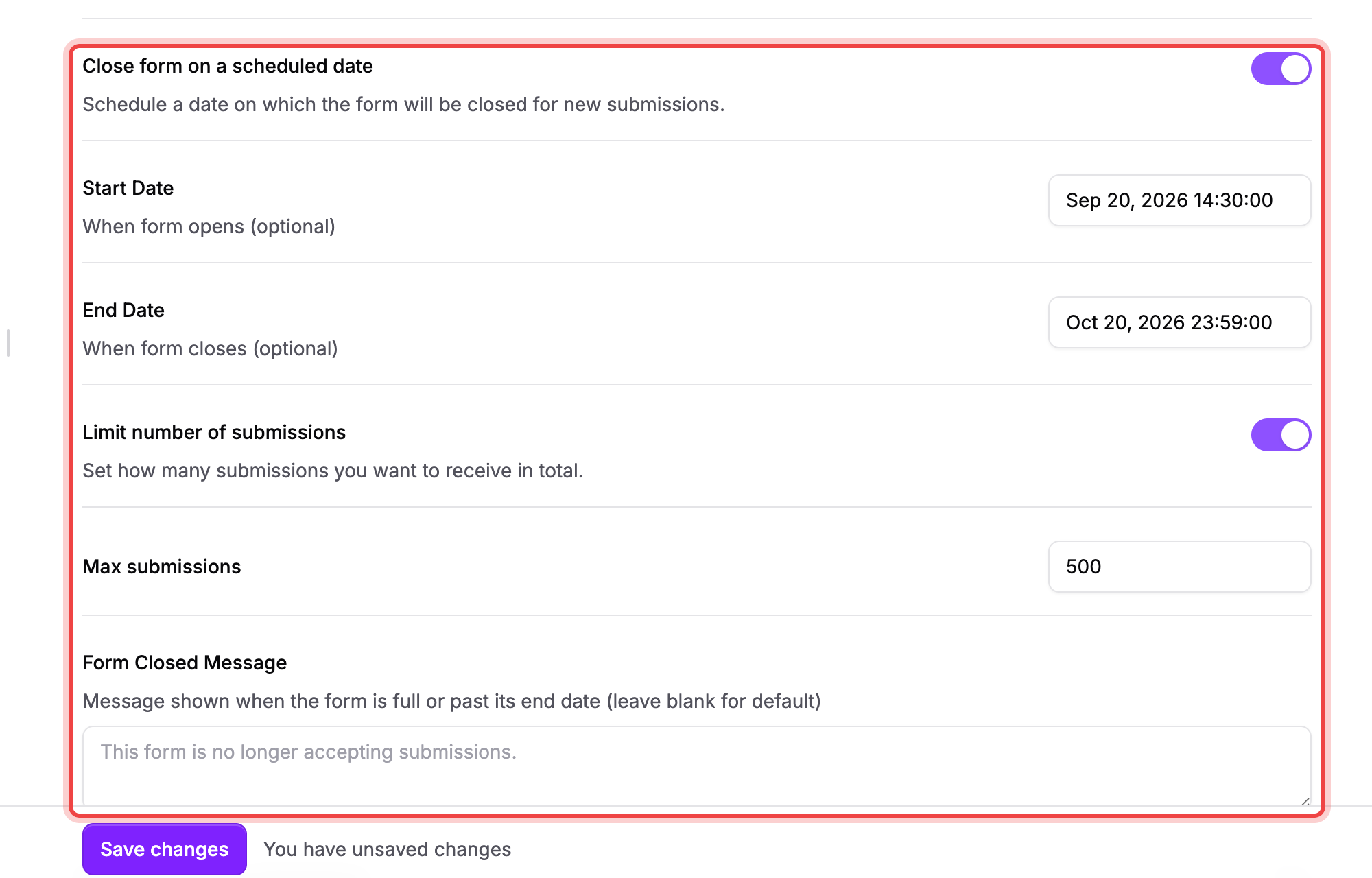
- Turn on Close form on a scheduled date.
- Set a Start Date to control when the form opens. Leave it blank and the form opens as soon as Active is on; the field shows Opens immediately.
- Set an End Date to control when it closes. Leave it blank and the form never closes on its own; the field shows Never closes.
Times are in UTC, so convert from your local time (for example, a deadline of midnight in New York is 04:00 or 05:00 UTC depending on the season).
Before the start date or after the end date, visitors see the same This form is temporarily unavailable page as a form that's switched off, not your Form Closed Message.
Cap the number of responses#
- Turn on Limit number of submissions.
- Set Max submissions to any number from 1 to 1,000.
- Under Count toward the limit, keep Each submission or pick a field. The list shows every field on the form that can say how many people one response stands for. It's a Payment field priced Per person or item or Products, or an Appointment Booking field (its seats). A response always takes at least one spot.
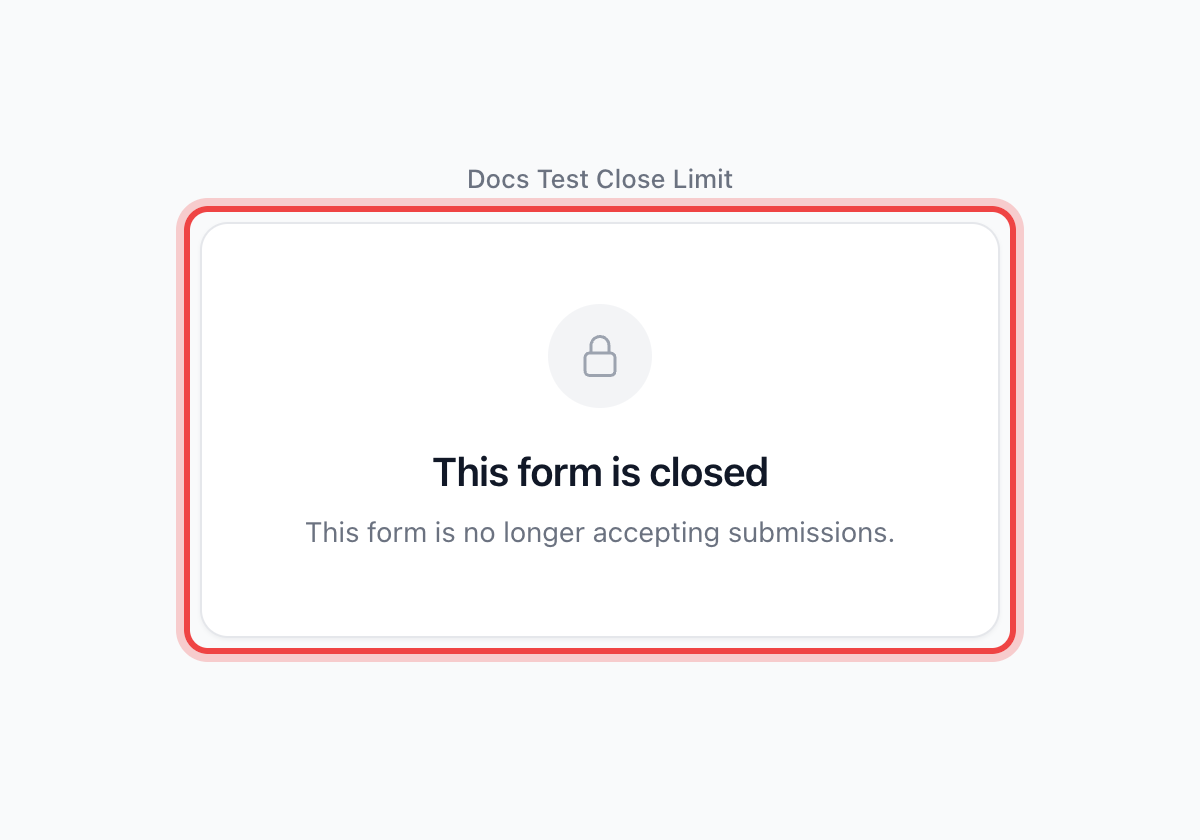
Once the spots are used up, new visitors see This form is closed with the message you wrote in Form Closed Message. A visitor whose party is larger than the spots left sees the inline message "Only 2 spots left." instead. The person or seat picker stops at that number. Watch how many are left from the form's Insights tab: the Spots left tile counts down as responses arrive and turns red at zero.
One response per person#
Turn on Prevent duplicate submissions to stop the same person from submitting more than once. Maxforms recognizes a signed-in respondent by their account. It recognizes an anonymous visitor by their browser session for that day, so a different browser, a cleared cookie, or trying again tomorrow lets them submit again.
The two are caught at different points. An anonymous repeat visitor is stopped when the page loads and sees the same This form is closed page as someone arriving after the cap is reached. A signed-in respondent who already submitted opens the form normally; they're stopped only when they press Submit, with the inline message "This form has reached its submission limit."
Write the closed message#
Form Closed Message appears once you turn on Close form on a scheduled date or Limit number of submissions. It only shows up when the cap turns a visitor away, or when the one-response rule stops an anonymous repeat visitor at page load, not when the form is off or outside its schedule. Leave it blank and Maxforms shows the default text: "This form is no longer accepting submissions."
If you turn on Prevent duplicate submissions by itself, without a schedule or a cap, this field never appears; an anonymous repeat visitor blocked at page load still gets that same default message.
If people still see the form after you closed it, then check that you saved#
- Confirm you selected Save changes after switching Active off, filling in a schedule, or turning on a cap. An edit you didn't save is still live for visitors.
- Reload the form's public page. Save changes applies immediately, with no publish step needed, so a stale result usually means the browser is showing a page it cached before your change.
If the numbers don't add up, check what takes a spot#
Spam doesn't count. A submission Maxforms flags as spam lands in a separate Spam folder instead of your inbox, and, per Spam prevention's own note, doesn't count toward your response limit.
Partial submissions don't count either. A response saved by Capture partial submissions before someone finishes typing lives in the Partial tab on its own; it never reaches the cap.
A response whose payment never landed takes no spot: a charge still clearing, a card that was declined, a checkout nobody came back to. Nor does one that was refunded: the seat goes back.
Open Incomplete to review declined payments and unfinished checkouts. Refunded submissions stay in your Inbox.