Use a subscription's credit history to explain its balance. Permitted team members can add or remove credits with a reason, and Maxforms records the adjustment.
Services turns on for your workspace the first time you add an Appointment Booking field or create a form from a service template. If you do not see Services in the sidebar, turn it on first.
- Open Services.
- Select Subscriptions.
- Open the session-credit subscription.
- Review the history under Credits.
- Open Manage.
- Select Adjust credits.
- Enter a nonzero positive or negative number under Change (+/-).
- Enter the agreement or correction under Reason.
- Select Submit.
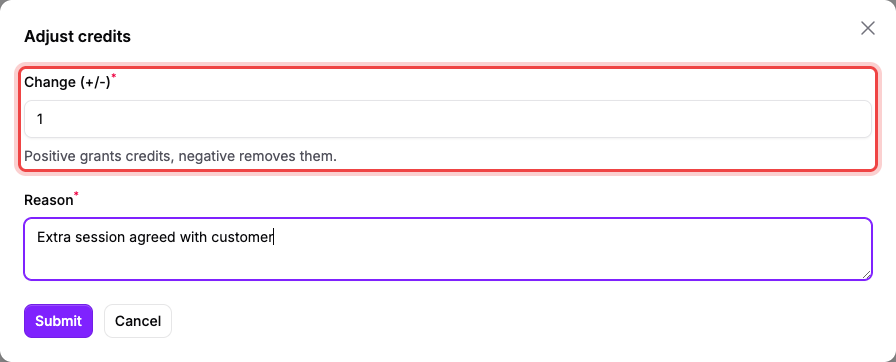
Use +1 for one agreed extra session, then record why you granted it.
A positive number grants credits. A negative number removes them, but the balance cannot fall below zero.
The first checkout booking spends one opening credit. Later renewals replace the balance with the cycle grant plus unused credits up to the rollover cap.
Early cancellation of a session returns one credit. Cancellation inside the configured cutoff forfeits it, and attendance results do not change it.
If the balance is lower than the cycle allowance, then check the credit history#
A booking can already have spent a credit. Read the cycle grant, session booking, cancellation, and manual adjustment entries before changing the balance.